Explore

Need help with your project?
Oops! Something went wrong while submitting the form.
What is the only thing that unites 66% of the world's population? The right answer is… we access social media daily. That’s correct, there are 5.4 billion people using social networks worldwide. The market is dense yet wide.
If you’ve ever thought "How to make a social media app like Facebook or Instagram?", "What should I consider" or "When is the right time?", we have some answers for you. You don’t need to know much and the right time for creating a social media app is now.
At Purrweb, we've created a comprehensive and honest guide on social media app development, sharing key features, costs, and a timeline for a robust mobile application. Let’s get started!
A social media app is a platform that allows people to generate and instantly share content. It also connects people worldwide with messaging and commenting features.
There are around 5.4 billion users of social media globally, and the traffic is split by hundreds of social media apps and websites. According to stats, an average person has an account on at least 8 social media platforms.
There are monetization options in the social media space. Aside from regular ads, typical revenue streams include premium subscriptions and in-app purchases. For example, Instagram offers a paid promotion service within the app that lets users buy ads to promote their posts on the platform and boost engagement.
Another lucrative monetization source is affiliate or influencer marketing. It involves setting up links to products or services offered by partnered companies. First, a content creator posts a link to their profile. When a user clicks on this link, the social app instantly gets its commission from hosting the offer on their platform. The influencer marketing business model works particularly well for YouTube which uses it to motivate its audience to create content.
Social media apps provide a high level of interactivity. Liking and sharing have already become second nature to most people, and social media rely on those features to boost user engagement. And with just how much content these platforms host, there will always be something for people to interact with.
Let’s look at the stats. In 2025, the average daily time users spent on social media worldwide was 141 minutes — more than 2 hours each day (source: Statista). This impressive number tells us that social media apps have high user retention and engagement. Naturally, this results in significant profits: TikTok, for example, had a brand value of over $84.2 billion in 2024.
Social media is a global market. People all over the world constantly use platforms like Facebook and YouTube. The reach of these social media apps is extensive, and that’s a big part of why they became so profitable.
Building a social media app will give you access to that global audience, opening the door to new sources of revenue. You’ll be able to use precise analytical tools to pinpoint the local markets where your product is the most successful. It'll be easy to target the right audience and set easily achievable goals for your social media app.
Overall, there are two popular strategies for social media apps to generate revenue: ads and premium subscriptions. Let’s dive into two examples and break them down!
Nowadays, many social networks have an ads manager to run promo campaigns on the platform. Probably the biggest player in the game is Facebook, that allows a business profile to create ads to promote their content and choose the audience they’ll target with the post. This strategy proved to be profitable and in 2027, the social network is expected to earn $127 billion in ad revenue only.
In fact, ads on such platforms have become a huge industry. Not only does Facebook benefit from it, but users also do too. Just think that if not for social media, the target specialist job would never exist 😁 This is one piece of advice on how to build a social media app that makes money.
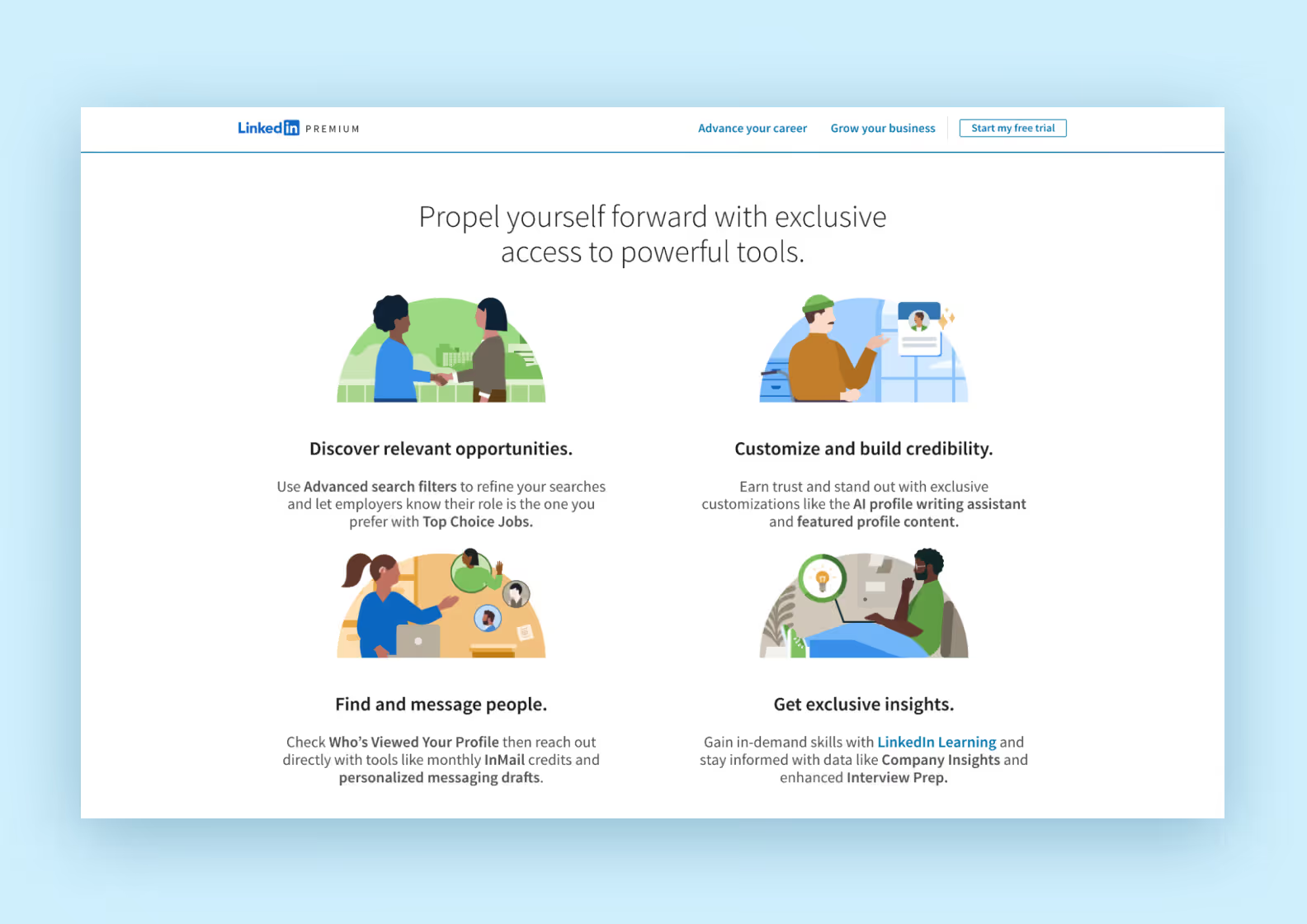
Another way to get some money out of social media apps is to offer users premium services for a fee. Take a look at LinkedIn — they display who visited your profile. If you stalk someone and don’t want them to find out, the only way to hide whose accounts you browse is to buy LinkedIn Premium for a price ranging from $29.99 to $119.95.
Before we discuss how to make a social media app, let’s explore the types of social platforms to help you make the most out of your development project. There are more types of social media networks, but we chose 10 that generate the most buzz:
This is the first page users see when they open your solution. Here are some tips from us: when you create a social media app, make sure the registration form is short and simple, elements are located in the center of the page and there are clear instructions on future steps to becoming a user.
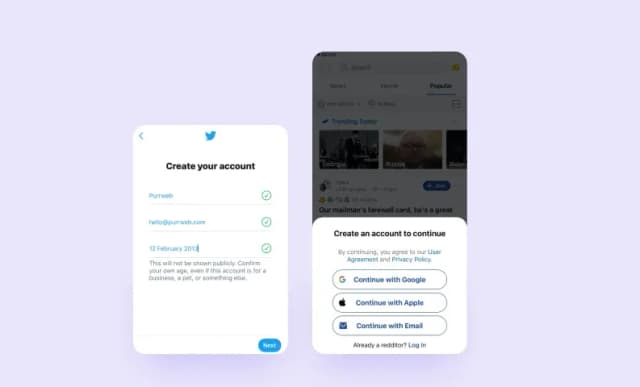
Also, we recommend adding several options to sign in. For example, with a phone number, email & password or Facebook/Google accounts.
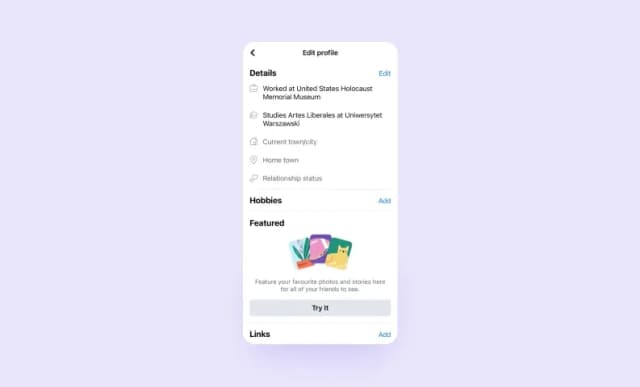
After a user signs in, they'll likely go to their profile to set it up and make the page more personal. Keep an eye on settings such as a username, profile photo, language functionality, and content preferences.
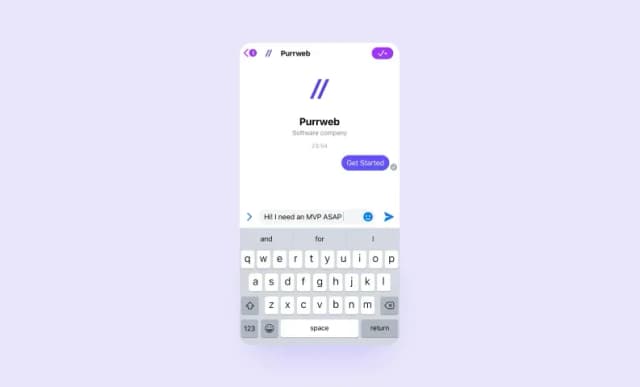
How to build a social network app without a messenger? Impossible! Chats are vital to the social network functionality that connects people. The ability to exchange text messages, photos, videos or voice memos is a must, no matter the focus of your social media app.
Depending on the type of app you have, users should be able to create text, photo, or video content, add filters, stickers, and sounds like TikTok, to spice the content up.
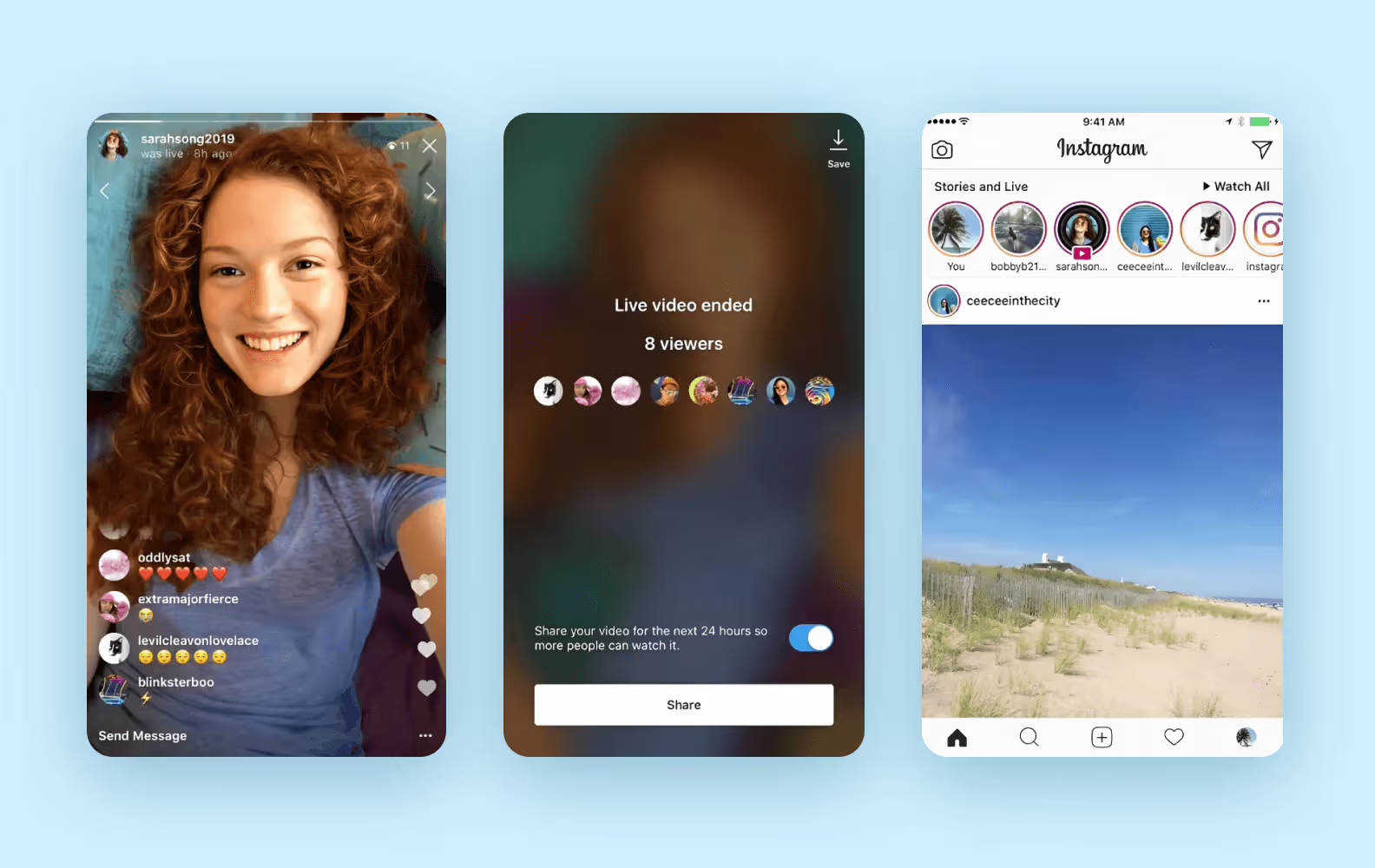
Notifications are tools to keep a user engaged and aware of new messages, events or comments. However, to increase the satisfaction of the users, let them decide on the frequency of these notifications and choose what they want to hear about — new texts, comments, or friends’ suggestions.
How many social media apps do you have on your phone? Let’s be honest, everyone uses several platforms, so don’t be afraid of your competitors!
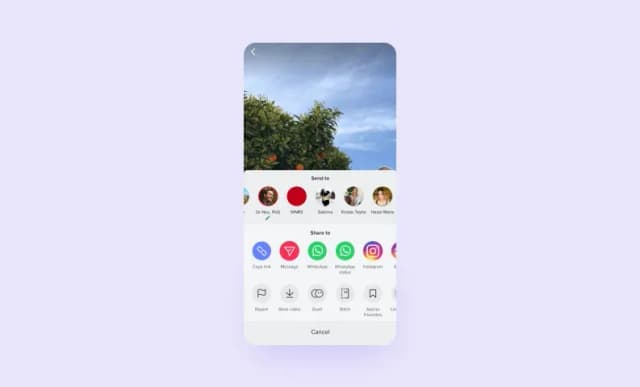
To make the sign-in process smoother and boost content sharing, we advise you to connect your app to other networks, especially with monsters like Facebook, Instagram, Twitter, and TikTok.
Before you begin developing your social media app, you’ll need to perform market research. This process can be broken down into 3 steps:
Identify your target audience. First, decide who your social media app is for. Does your target audience primarily consist of young people who enjoy short-form video content? Or the opposite — accomplished industry experts who value professional networking above all? Identifying your core audience will allow you to come up with the right features for your social app.
Study social media platforms. To succeed with your new social media app, you need to understand how it works. These apps have their own set of rules based on interactivity and user engagement. Let’s look at the most popular social media apps such as TikTok and Instagram. They have personalized news feeds, user profiles, hashtags, and simple interfaces. This helps them grab the users’ attention and simplify the consumption of large amounts of content. By understanding the psychology behind social media platforms, you’ll be able to come up with creative ideas for your own development project.
Analyze your direct competitors. If you want to launch your own social media app, it’s unlikely that you’ll be able to compete with the big players like Instagram or TikTok — at least not at first. After all, these platforms have enormous budgets and hundreds of people on staff. Instead, we recommend studying your close competitors — those with a similar budget and scope. Look at their apps, make a list of pros and cons, and learn from their mistakes. This will help you improve your app idea.
Manage legal risks. Before writing a single line of code, a social media app must have a legal foundation. Compliance is non-negotiable — especially given strict global regulations like GDPR and CCPA. Failing to establish rules and privacy terms risks rejection from the Apple App Store and Google Play, and you expose your business to legal liabilities.
This checklist covers the minimum legal requirements for your social media app:
| Task | Description |
| Privacy policy | A document outlining how the app collects, use, and store user data |
| Terms of service (ToS) | A document defining the rights and responsibilities of the user and the company, and community rules |
| GDPR/CCPA | Ensuring compliance with international data protection laws, if targeting EU/California users |
| Content moderation | Developing clear community guidelines and a mechanism for complaints/bans |
| Content rights | A mechanism for handling copyright infringement complaints, e.g., DMCA |
After you’ve done your research, it’s time to think about the features of your social media app. When it comes to social media platforms, basic features such as likes, shares, and user profiles are a must. However, it’s important not to blow the scope of your app out of proportion. A good way to avoid that is to focus only on the most important features. Without that, your app wouldn’t work.
That’s where the MVP development philosophy comes in. MVP stands for Minimum Viable Product. This approach involves building and releasing an app with only the most essential features. Startups often prefer MVP because it lets them quickly validate their business ideas without breaking the bank. We at Purrweb specialize in MVP development, which allows us to build apps efficiently. We design the product, implement each feature, iterate based on client feedback, and release the app. And we do that in 4 months thanks to the MVP approach.
When you’ve decided on the scope of features for your social media app, it’s important to set clear goals for your project and define metrics for its success. This will help you determine how well the app performs after launch and identify its weak points. Some of the most useful metrics for evaluating an app’s success include monthly active users, session frequency, and retention rate.
If you want your social media app to be profitable, you’ll need to find a way to monetize it. There are options to choose from, including subscriptions, brand partnerships, and ecommerce integration. Let’s take a look at the most viable monetization options for a social media app:
In-app purchases. This is one of the most common monetization types for mobile apps. Content-focused platforms frequently offer paid features to their users. TikTok and Snapchat allow users to buy filters, stickers, and gifts inside the app.
Premium subscriptions. Another reliable source of revenue. Social media apps like Reddit, YouTube, and Discord offer premium subscriptions that give you access to exclusive content and personalized features.
In-app advertising. Used by most social media platforms, including Instagram, X, and YouTube. While in-app advertising can be useful, we recommend steering clear of large ad banners which free apps often contain. They're notorious for disrupting the user experience and driving people away. Instead of paying for a subscription to get rid of intrusive ads, users would rather just delete the app and find an alternative.
Acquiring a user is only the first step, keeping them engaged is the challenge. To succeed, your app needs to be sticky. You should build mechanisms that motivate users to return daily. Below is a breakdown of strategies designed to boost your app's retention rate and turn new sign-ups into long-term community members.
|
Strategy |
Mechanism |
Implementation example |
|
Effective onboarding |
Quickly teaching core functions and demonstrating the product's value |
A series of 3-5 welcome screens suggesting users follow 5 popular accounts |
|
Gamification/incentives |
Rewarding users for activity, creating a sense of progress |
Badges, “crowns”, or virtual currency for daily log-in or posting |
|
Social stimuli (FOMO) |
Creating a network effect and the fear of missing out |
Notifications about friends' actions or a "Best of the Day" feed |
|
Personalized notifications |
Sending relevant, timely information instead of spam |
Notifications for comments/messages, but not for likes from unknown users |
|
Feedback loops |
Collecting feedback and demonstrating how you used it to improve the product |
Pop-up surveys, or a "Report a Problem" button with subsequent notification of a fix |
Once you’ve decided how your social media app will make money, it’s time to create a marketing strategy. This will be crucial if you want your app to attract users right from its launch. When it comes to effective marketing, understanding your audience is key. This means knowing their age, interests, and behavior patterns. Based on this data, you’ll be able to select the most appropriate marketing channels to reach your target audience.
Let’s say you’re developing a video content marketplace for hobbyists and professionals. In that case, your main marketing channels will probably be Instagram, TikTok, and YouTube since that’s where people consume the most video content. Use these platforms to create entertaining videos that communicate the unique value proposition of your product. If you do it right, your posts can even go viral and your social media app can gain plenty of early adopters.
When you’ve planned out your marketing campaign, define the metrics you’ll use for measuring its effectiveness. Some of the most helpful ones include customer acquisition cost, return on ad spends (ROAS), ad engagement rate, and attribution metrics.
At last, you completed the planning for your development project. Now is the time to create a UI/UX design for your social media app. An effective visual design will make it easier for your platform to get noticed. Even a memorable logo can help you attract users.
When creating a design philosophy, think about how you want your app to look and how the users should feel when interacting with it. You probably know that different colors are associated with human emotions: green with calmness, red with anger. That’s why it’s important to decide on the right color palette for your social media app. Most popular platforms today try to avoid excessively bright colors because they can be hard on the eyes. You can’t go wrong by choosing a more neutral color scheme, but make sure it doesn’t look lifeless. Otherwise, it will be harder for the app to get people’s attention.
After you’ve planned out the visual style for your product, start designing the user interface. Make basic black-and-white wireframes for each screen of the app. They should include every element of the UI. We recommend prioritizing intuitive navigation and making sure that all UI components are easy to find. Then, you can start making interactive prototypes in Figma or another design tool to test the basic navigational flow.
When that’s done, gather feedback for the prototypes and make changes to the design. If everything’s looking good, apply the finishing touches — turn your black-and-white mockups into a complete design. It should include the fonts, colors, and images that you’ve chosen for your social media app.
The final design may be different compared to the initial black-and-white wireframes — and that’s alright
This is where the programmers on your team step in to help. They'll write the code for the app, implementing every feature one by one. This part of the development process involves programming a reliable backend infrastructure and responsive user interfaces. By this point, you should decide on the right tech stack for your app. It would depend on what features you want to include in your app. For example, if you want to build a live streaming platform, it’d be smart to invest in a reliable framework for real-time video such as WebRTC.
When it comes to efficient development, preparation is key. Before you start writing code, make sure that every member of your team knows their task. This will make teamwork easier and the development faster. However, the best way to achieve an efficient programming workflow is to outsource the project to a professional team. At Purrweb, we have access to talented developers who are used to working on challenging projects. We implement every app feature from scratch — no app builders are required.
The programming stage can be long and hard, especially if there are unforeseen problems along the way. If you want to reduce the development time, the MVP approach might come in handy. Building an MVP means implementing fewer features compared to a full-scale application. By focusing only on the core functionality of your social media app, you’ll save time and money during active development.
After the code is written, there’s still plenty of work to be done on the way to release. It’s important to make sure that your social media app is well-optimized before users can download it. That’s what quality assurance tests are for. They allow you to weed out the bugs, pinpoint the app’s technical flaws, and prepare for release.
Throughout development, we recommend keeping track of the most important functionality that should be tested. Especially if you’re not completely sure that a certain feature will work as intended. QA tests will allow you to identify the product’s weak points before release and fix them to ensure a higher chance of a successful launch.
Once you’ve successfully launched your own social media app, it can be tempting to celebrate and rest on your laurels. But the real work is just beginning. No app is perfect upon release there are bugs to fix and new useful features to add. Look at the top players on the market — they constantly update their apps with additional content. This allows them to stay in the spotlight and attract new audiences which leads to increased profits.
To decide how to update your app, first collect feedback from your users. You can learn a lot from their reviews which often contain constructive criticism. In their feedback, users tend to focus on the negative impressions first. While it can be difficult to read through dozens of unfavorable reviews, they can provide some helpful insights. For example, if a good number of users don’t like the same feature, then you’ll know you should change or remove it. Or if a lot of people have pointed out an annoying bug, you’ll be able to prioritize it and fix it in the next update.
After you’ve gathered a sufficient number of user reviews, it’s time to plan out updates for your app. Based on the feedback, outline the most important features to add, remove or rework. Consider how the updates will affect the user experience. It’s better not to add or remove features on a whim — there has to be a good reason for it.
Remember: the road to perfection can take forever. Don’t try to create the most ideal product, but instead focus on what’s most important. This way, you'll avoid burnout and your social media app will have a better chance of achieving long-term success.
The short answer is YES! MVP stands for a minimum viable product and is the first version of your solution. It's used to get feedback from real users and see if your idea meets the market’s needs.
Why is MVP important? You come up with an idea, invest a fortune into app development and in the end your solution fails because it's not what people need or it's too unclear to use. To prevent this scenario, we recommend starting with MVP first to test your idea for less cost and time.
After thinking about how to create a social media app, the second thought is who is going to execute the plan. Choosing the right social media app developer is crucial for the success of the whole idea. Here are a couple of tips from us on how to pick your contractor:
Always meet with your future developers online and ask them to talk you through their portfolio and previous projects.
Instead of hiring and controlling single freelance specialists, pick a team that has a versatile set of experts — developers, designers, QA engineers, and project managers to provide support to your solution. Moreover, a skillful team will get you practical tips on how to make a social media app the best one in terms of user experience and flow.
How to make a social media app without spending a fortune, and is it possible? Yes, it is! At Purrweb we develop social media apps with different budgets and offer a free estimation of your MVP project.
The development cost and time frame are different for every product and depend on the complexity of the app. Transparent communication is our priority, and that’s why we usually start with providing the project cost and deadline estimation. In the case of MVP, development will be cheaper and you’ll be able to release your app sooner.
No more talking, let’s get straight to the point. Here is how much your social media can cost and how long it will take at Purrweb:
| Stage | What are we doing | How long it takes | Costs |
| Brief interview | Discuss the idea of your app | 1 day | no costs |
| UI/UX design | Plan and execute the interface, build a prototype | 4 weeks | $5 400 |
| Development | Create the interface as a user will see it. Deal with the architecture of the app and connect it with servers | 10 weeks | $40 500 |
| QA testing | Test the usability of your application | Alongside development | $6 000 |
| Project management | Chaperoning the project and solving administrative tasks | Alongside development | $4 100 |
| ⚡ We develop apps quickly | We work with both established companies and new startups, helping them launch their products in a short timeframe. Most of the time, we favor the MVP approach (Minimum Viable Product), which allows us to build fully functioning apps from scratch in 4 months. Less time spent on the development process means the client spends less money — so everyone’s happy. |
| 📺 We create content platforms | We’re a social media app development company. Our portfolio includes content marketplace apps and networking platforms. Take a look at Tunetank — a music marketplace that we’ve developed. We implemented a custom audio playback feature and a useful client referral system. |
| 🎨 We build engaging UIs | Our motto is — user experience first. This means creating a visually appealing design while keeping the app user-friendly and responsive. For a social network app, developing an engaging and intuitive user interface is crucial. That’s why we plan out every possible user scenario and make sure that each feature is easily accessible. |
| 💸 We know how to monetize | Any social media app has to be monetized. Whether it’s ads, subscriptions, or online payments — we’ll find a way to integrate monetization features into your social network. Check out Contentplace — a social media platform for buying and selling video content. We developed a paid multi-tier subscription system for the app. |
The social media audience is more than half of the world’s population. Sounds crazy, right? If you want to enter the market, there will be a place for you.
But how to make a social media app that will win a battle for users’ attention in 2026? Define the type of social media you want to make an app for, start with an MVP, choose a full-cycle team for development outsourcing, and relax — we'll take care of the rest.
At Purrweb, we create robust solutions with a focus on cutting-edge UI/UX design to provide an enhanced user experience for your startup. With us, the development of a social media app will take approximately 4 months. And social media app development cost will be around $56000. Hopefully, we managed to answer your questions on how to create a social media app and nail it!
➡️ Wanna step up and get a personalized estimation of your social media app? Fill in the quote and we'll get back to you with more info!
Development cost depends on scope, team location, and feature set. A focused MVP — user profiles, a content feed, and basic messaging — typically runs $40,000–$80,000 with an offshore team. A mid-complexity platform with real-time notifications, media uploads, and a recommendation algorithm ranges from $80,000 to $200,000. Full-scale apps comparable to Instagram or TikTok start above $300,000 and require 12–18 months. The biggest cost driver is backend infrastructure: real-time data sync and content delivery alone can add $20,000–$50,000 to any budget.
A scoped MVP targeting one platform takes 3–5 months with a dedicated team of four to six people. Cross-platform development using React Native can reduce this by 30–40% compared to building separate iOS and Android codebases. Adding complex features — live streaming, algorithmic feeds, end-to-end encrypted messaging — adds 2–4 months per feature cluster. Discovery and UX prototyping typically occupy the first 4–6 weeks and directly determine how predictable the rest of the timeline is.
The minimum feature set that makes a social app usable has five components: (1) user authentication with profile creation and editing, (2) a content feed that displays posts in chronological or ranked order, (3) basic interactions such as likes, comments, and shares, (4) follow or friend system to build a social graph, and (5) push notifications for core events. Real-time messaging, media compression pipelines, and content moderation are important but can follow in version two once the core loop is validated with real users.
React Native covers 85–90% of social app use cases from a single JavaScript codebase, cuts cross-platform development time by roughly 35%, and shares business logic between iOS and Android. Native development makes sense when the app relies heavily on platform-specific APIs — for example, ARKit for iOS camera filters or real-time audio processing — or when frame-rate-sensitive UI animations are central to the product. For most founders building a social MVP, React Native reduces cost and time to market without meaningful sacrifice in user experience.
Most social apps are built on a combination of Node.js or Go for the API layer, PostgreSQL or MongoDB for user and content data, and Redis for session management and real-time event queues. Media files — photos, videos — go to object storage such as AWS S3 or Google Cloud Storage with a CDN in front. Real-time features like chat use WebSockets or a managed service like Stream. Firebase works well for early-stage prototypes but tends to create migration complexity once the app exceeds 10,000 active users.
The four established models are: advertising (selling targeted ad placements, dominant at scale), subscriptions (monthly or annual plans for premium features or ad-free access), in-app purchases (virtual goods, boosts, or creator tipping), and marketplace fees (taking a percentage of transactions between users). Advertising requires significant user volume — typically 100,000+ monthly actives — before it generates meaningful revenue. Subscriptions and in-app purchases can generate revenue from day one and are increasingly the default for niche community apps launched in 2024–2026.
A functional MVP team has six roles: a product manager or founder who owns scope decisions, a UX/UI designer, one or two frontend engineers (mobile), one or two backend engineers, a QA engineer, and a DevOps specialist for infrastructure. Smaller budgets can compress this to four people by combining backend and DevOps, or by using a development agency where roles flex across the project. A team without a dedicated QA function consistently ships social apps with authentication and notification bugs that damage early user retention.


.svg)


